
DecwriterII
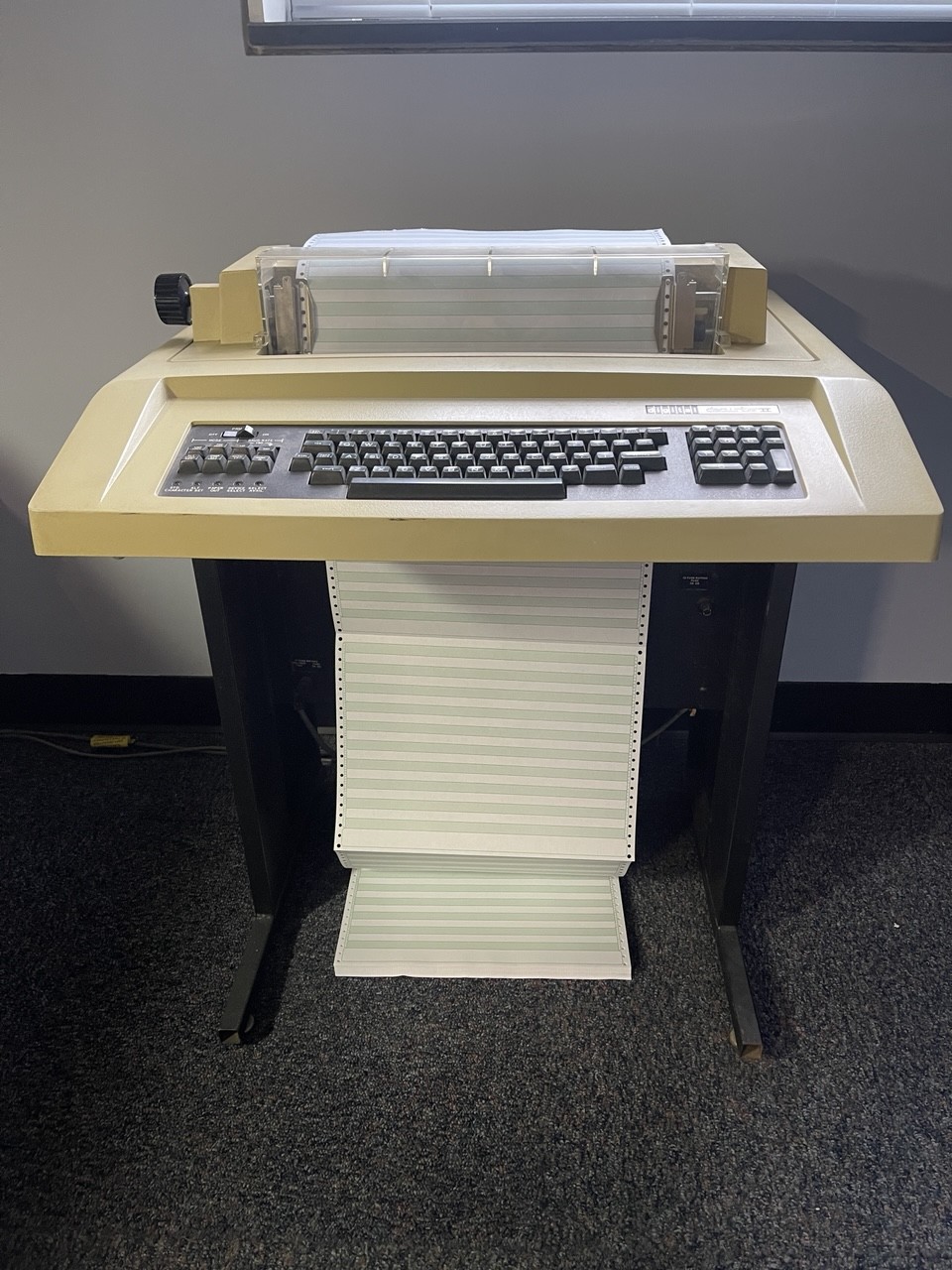
A Decwriter II, a hardcopy dot matrix terminal, sits in my office. This page is a little bit about the machine and how I got it running again.
LA 36
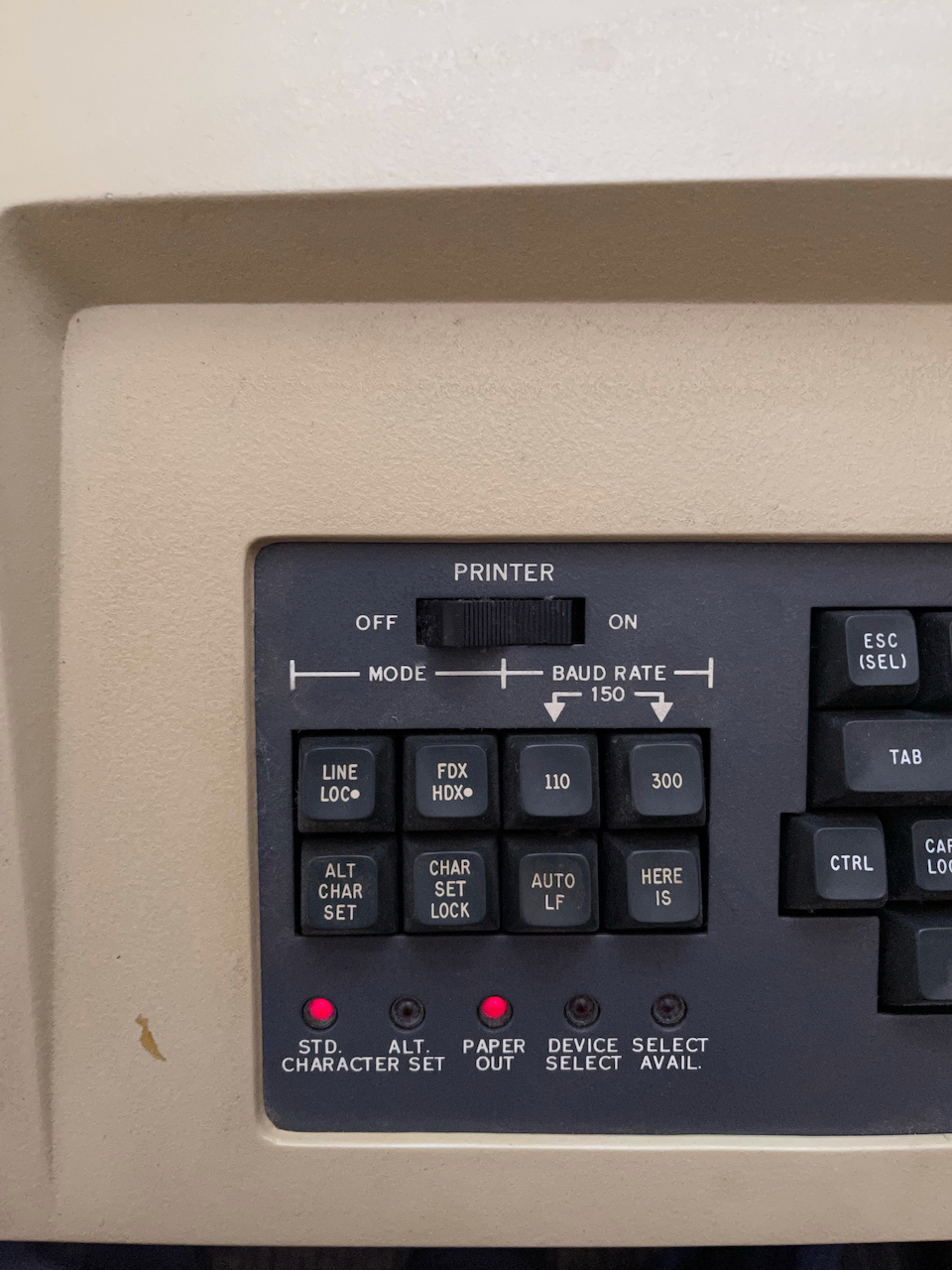
The Decwriter II (model number LA 36) was introduced August 1974 by Digital Equipment Corporation (DEC) as an upgrade to the Decwriter I (model LA 30). While it shared the basic dot matrix printing mechanism with its predecessor, the LA 36 was capable of printing all of the upper and lower case ASCII characters and it included a 1K character buffer. The original Decwriter, like other hardcopy terminals like the Teletype model 33, could only generate upper case letters. The Decwriter II is equipped for 110, 150, or 300 baud operation. Switches on the left of the keyboard select local and line operation, the baud rate, full or half duplex, and whether or not to include an automatic linefeed (one of the installed options). There is a HERE IS key and options to select and lock the alternate character set (which is not installed). Five LEDs below this bank of keys indicate whether the standard or alternate character set is on. To the right of these are paper out, device select, and select available. Stickers on the machine indicate Date assembled: 9/6/1977 and Date shipped: 9/9/1977.


Available and installed options
| Part # | Option Name |
|---|---|
| LAXX-KJ | Compressed Font Option Kit |
| LAXX-KV | Forms Control Option Kit |
| LAXX-KW | Selective Addressing Option |
| LAXX-KX | Automatic Answerback Option |
| LAXX-KX | Numeric Keypad Option |
| LAXX-KY | Forms Control, Vertical Tabulation and Horizontal Tabulation Option |
| LAXX-LA | Automatic Line Feed Option |
| LAXX-LB | Expander Option Mounting Kit |
| LAXX-LG | EIA Interface Option Kit |
| LAXX-LK | 20 mA Interface Cable Option Kits |
| LAXX-LM | Acoustic Coupler Option Kit |
| LAXX-PK | APL Option Kit |
The installed options on this unit are:
LAXX-KX, LAXX-LA, LAXX-LB, LAXX-LG
The part numbers and serial numbers include the following:
| Power Module 6510805 Rev 2 S/N 7270708 | ||
| Logic Module M7722/M7728 Rev H S/N 7271005 | ||
| Printer Mechanism 7009696 Rev Y/AC S/N 111312 | ||
| Print Head Assy. 7009883 Rev C S/N 151990 | ||
| Keyboard 7009750 Rev F S/N 146305 |
Opening it up
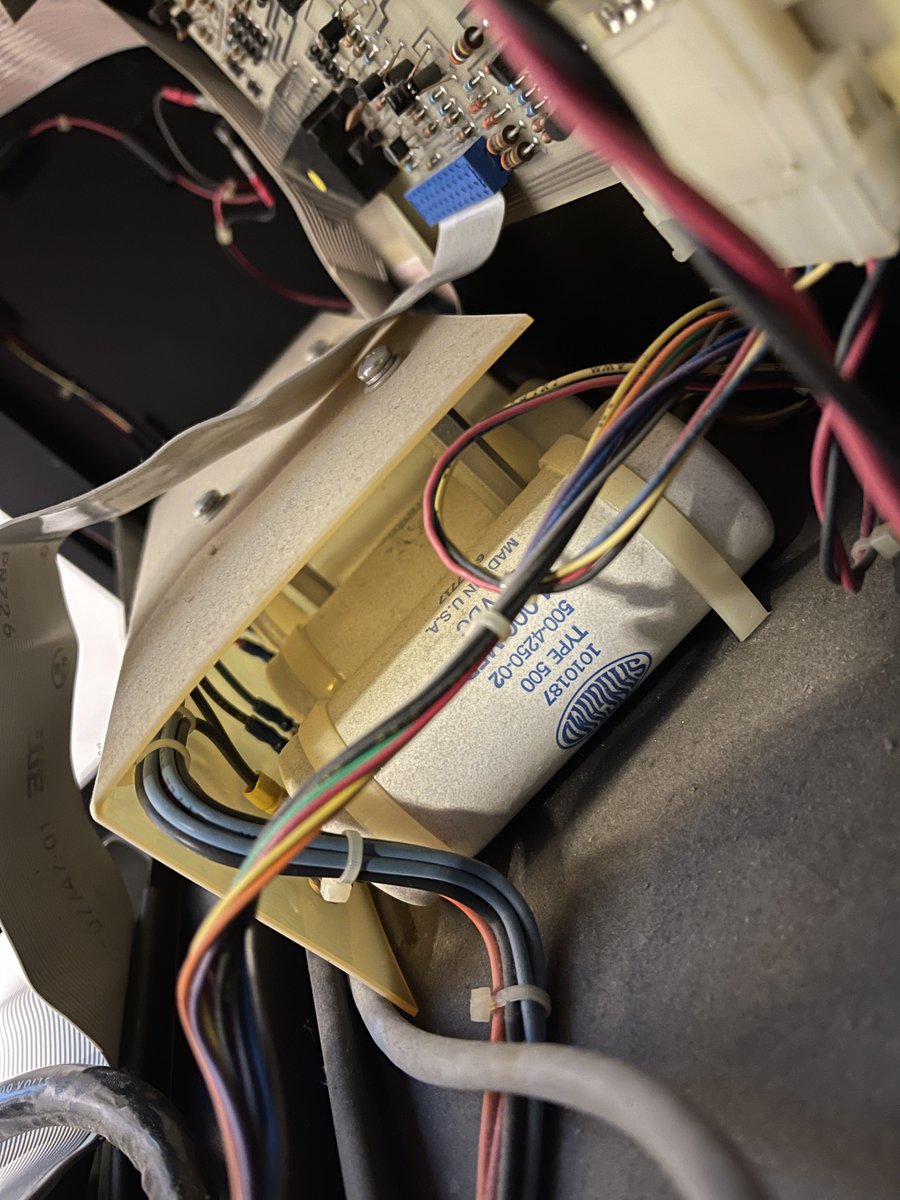
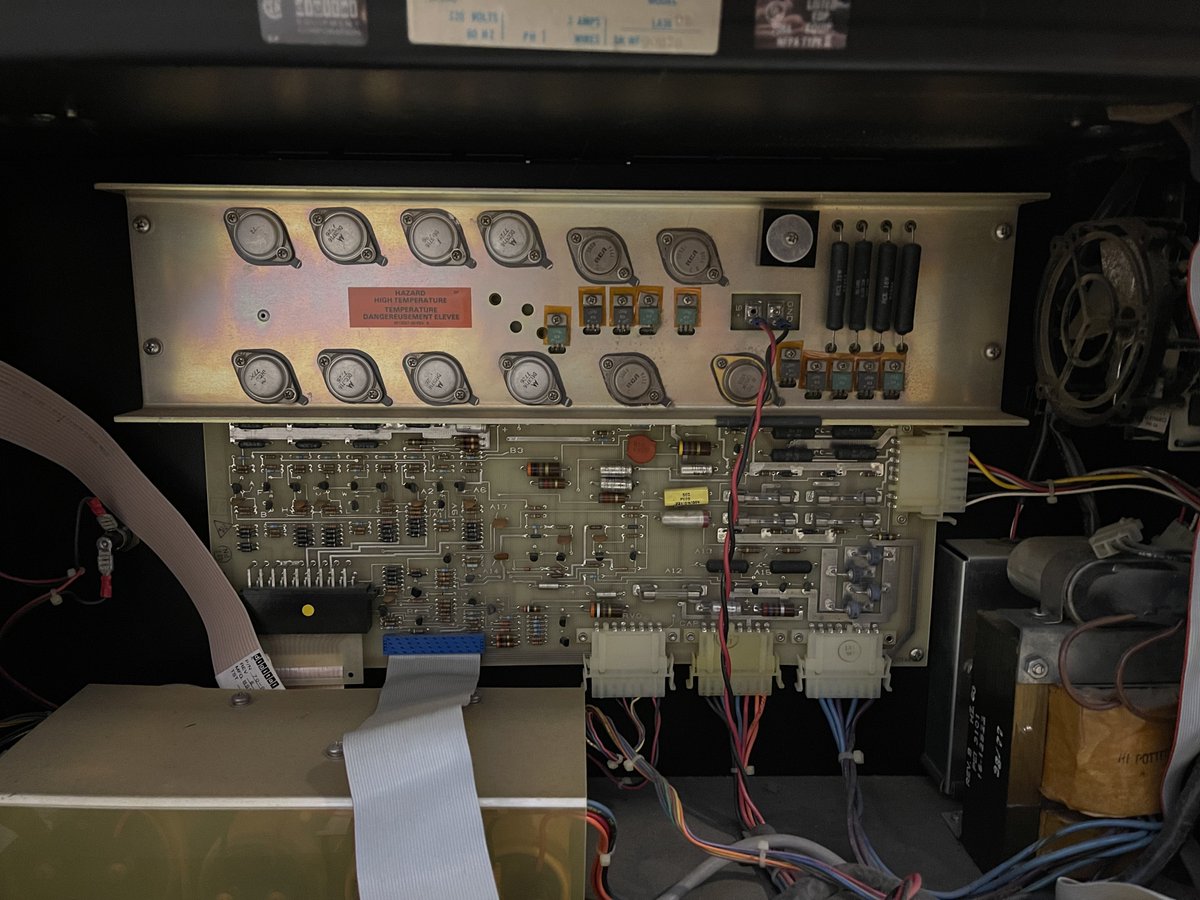
The back panel opens to reveal a label (Model LA 36 DE, serial number WF-90828. "DE" refers to the voltage and frequency of 90-132V, 60Hz) and the internal circuitry. On the door are three layers of circuit boards. A double layer of installed option boards -- smaller boards connected by double slot connectors -- is on top. The main circuit board is below. Other electronics in the case drive the motors, print assembly, and power supply.
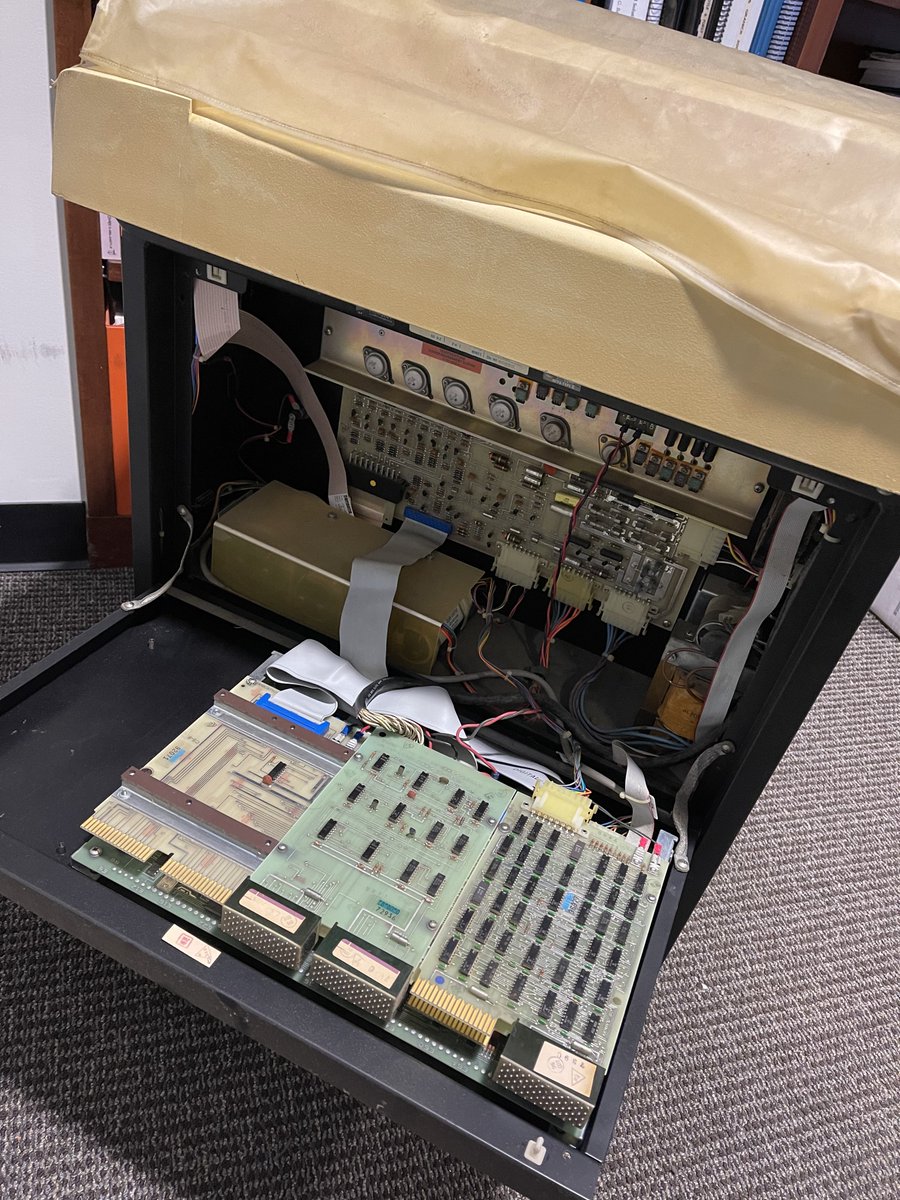
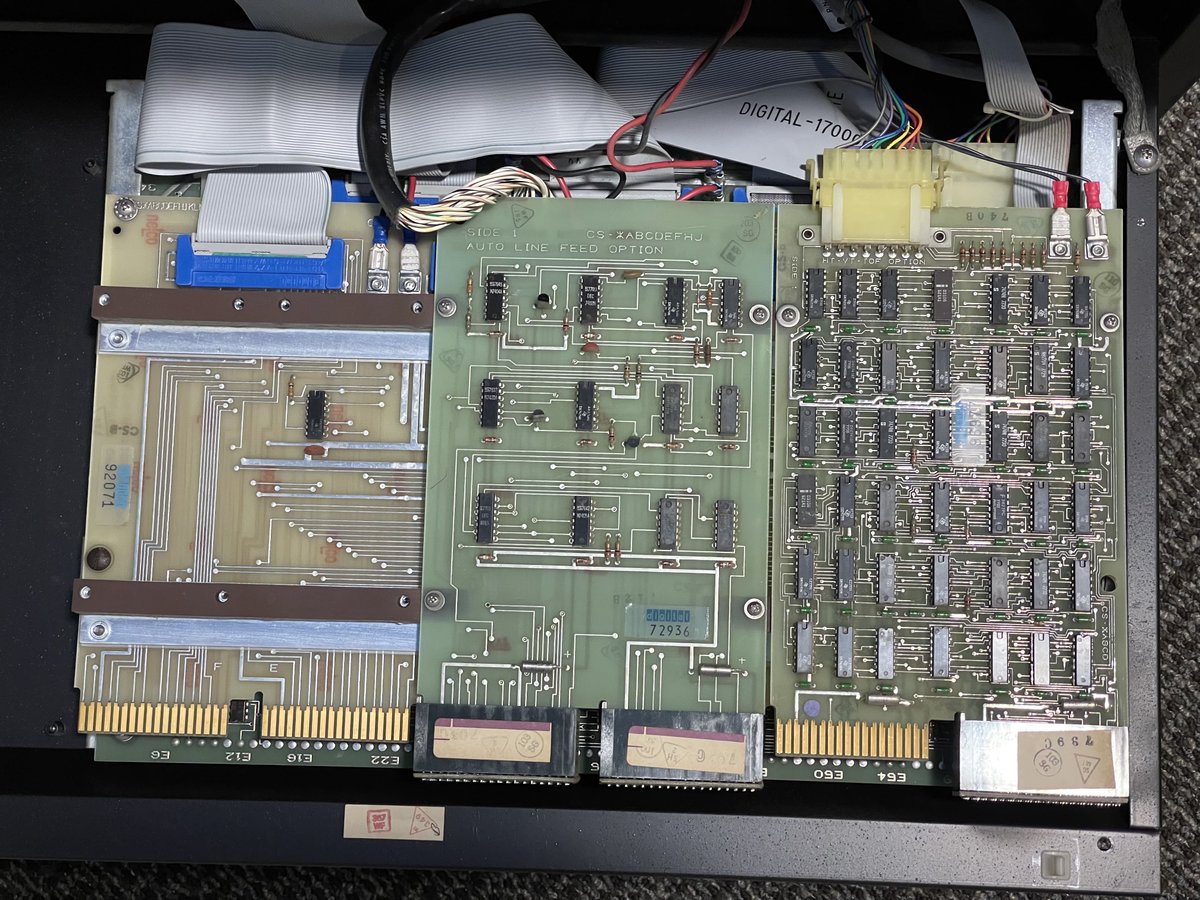

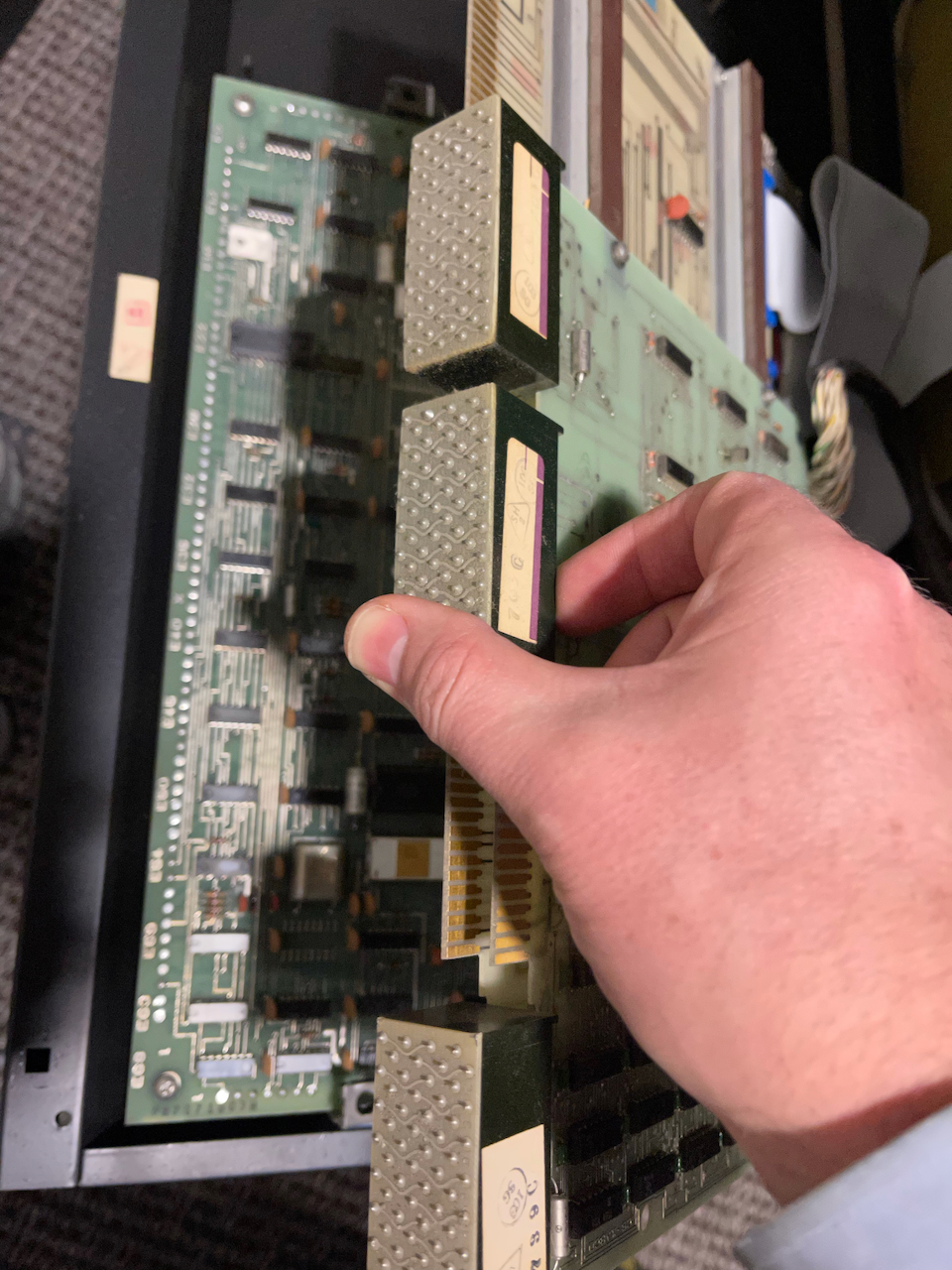
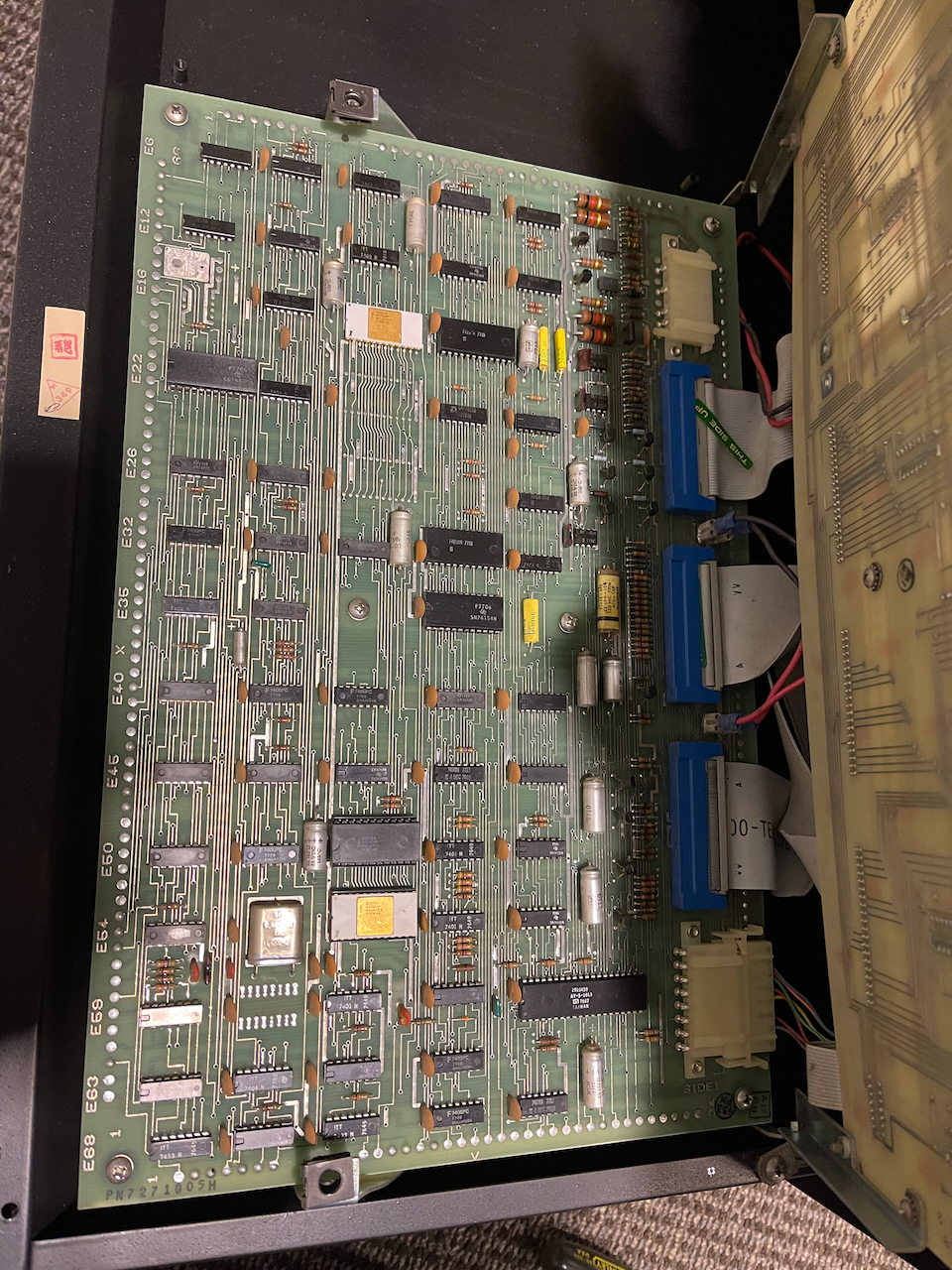
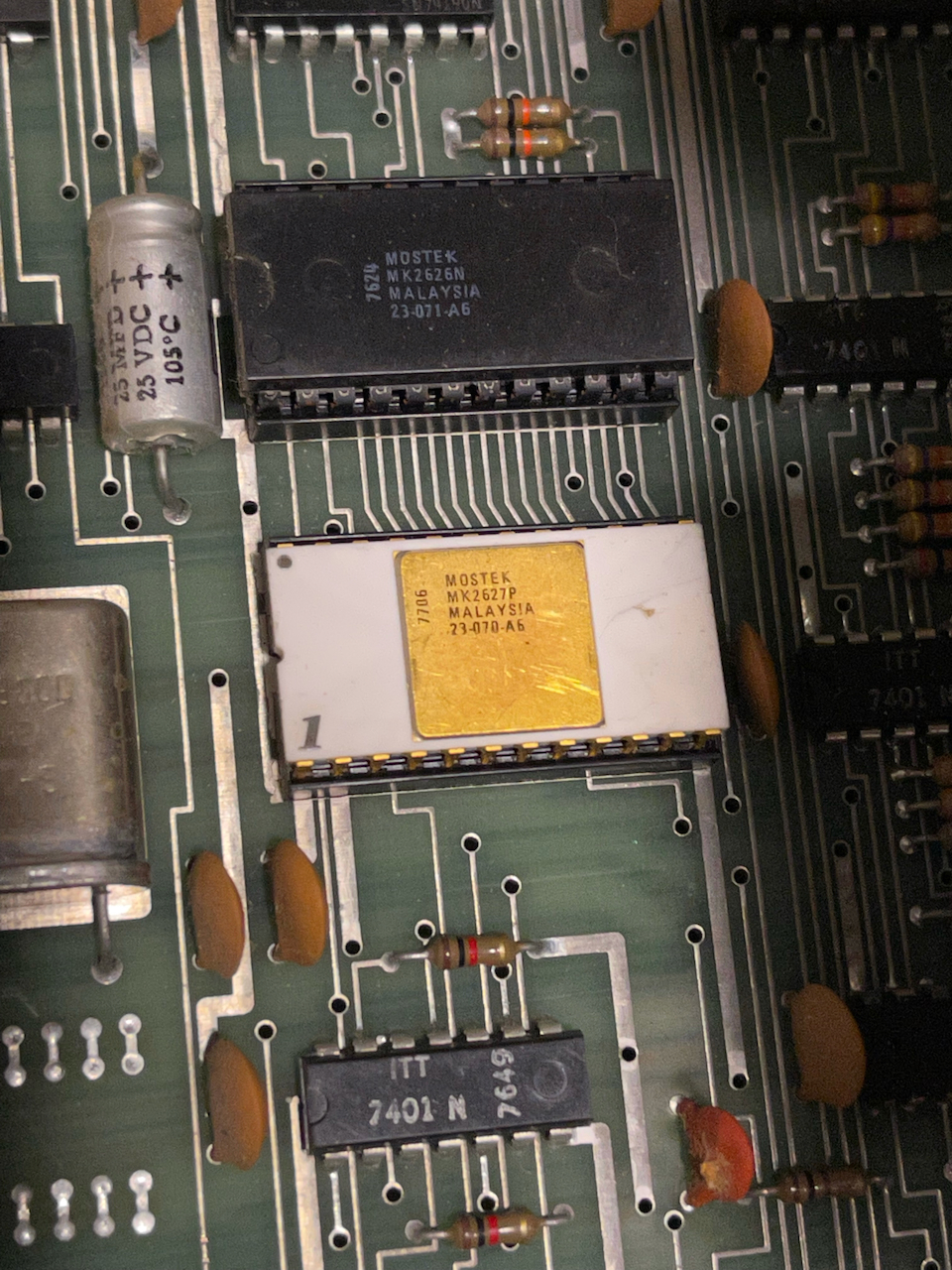
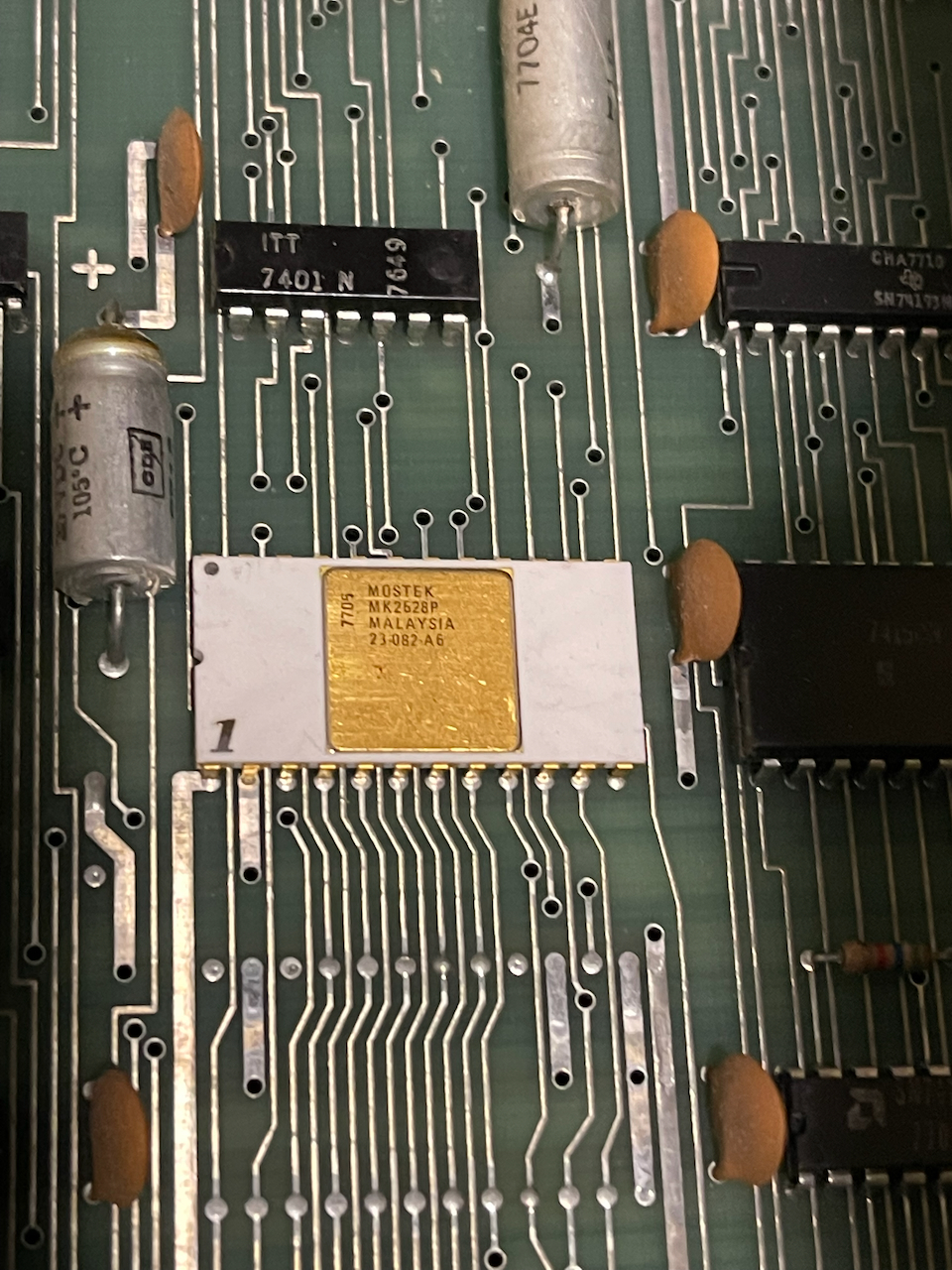
The top assembly of optional boards tilts up to reveal the main circuit board, which includes TTL logic and ROMS, including the character generator ROMs (presumably). The ROMS are Mostek parts 2626N, 2627P, and 2628P. The last two are white ceramic and the first two are in sockets. (Mostek data sheets are available at the Internet Archive here and here.)
Power up and troubleshooting
Suspecting that it hadn't been powered on in some time, I brought the machine up slowly on a Variac. As the voltage increased, the Paper Out and Character Set LED lights came on. On full power, the head printed, although the ribbon was dry.
I established some communications with the terminal using a serial to usb connector. I could get a login prompt, but the text was garbled. However, text that was typed on the console, like a user name, echoed back ok. A little digging into the reception showed that a high bit was set by the Decwriter. For example, typing 10 space characters (0x20) and the numbers 0...9 (0x30...0x39) gave:
00000000  a0 a0 a0 a0 a0 a0 a0 a0  a0 a0 b0 b1 b2 b3 b4 b5  |................|
00000010  b6 b7 b8 b9                                       |....|
00000014
So, bit 8 was always on. This seems to be a default for DEC communications.
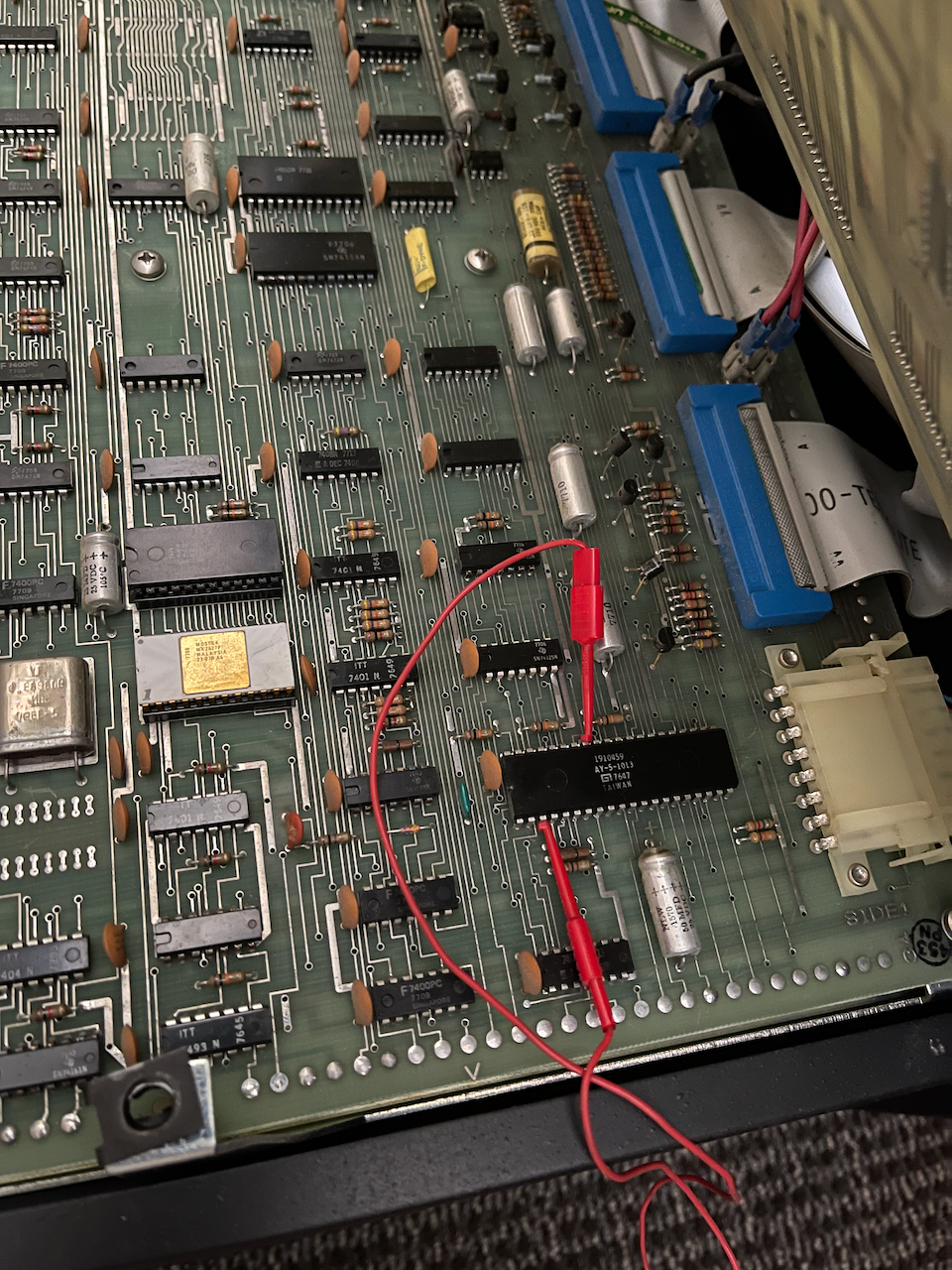
The serial on the Decwriter uses a General Instruments AY-5-1013 UART, the same chip I later used to build a serial card for the Altair 8800c. The winning move here was to jumper the UART to 8th bit space (see the image below). This connects pin 33 on the UART to pin 3 (GND). There is a jumper location on the board, but this would require actually soldering in a jumper. Without the jumper, the UART 8th bit is pulled up to +5V on the board, setting the high bit, as I detected. And while I could set screen to ignore the 8th bit, I couldn't get login to ignore it.
Logging in
macOS (aka BSD)
At first, I used the Decwriter as a terminal for my laptop, which runs a descendant of BSD Unix (macOS). I connect the machine using a FTDI serial to usb adapter, which has a lower serial communications limit of 300 baud (most usb adapters don't do lower). Then I pull up a getty using screen on the host:
$ screen /dev/tty.usbserial-FTFXS2KI 300

C-a : exec ::: /usr/libexec/getty dw2
which sends a login prompt to the Decwriter.
The dw2 in the screen command refers to the terminfo, which can be examined using infocmp on a BSD-like unix such as macOS:
$ infocmp dw2
#	Reconstructed via infocmp from file: /usr/share/terminfo/64/dw2
dw2|decwriter|dw|decwriter II,
	hc, os,
	cols#132,
	bel=^G, cr=^M, cub1=^H, cud1=^J, ind=^J, kbs=^H,
By the way, the bell character emits a little beep.
One of the delights of the Decwriter console is the amazing presence of the legacy banner program, which creates sideways text in glorious 132 column wide letters, right to the standard output. It is a highly interactive and immersive experience given the speed of the Decwriter.
The Decwriter series is a relatively early dot matrix device, and, unlike later commercial printers, it only prints in one direction. Since the machine operates at 300 baud with one start and one stop bit, the resulting output is 30 characters per second -- that results in about 4.4 seconds to print a single, full, 132 character line. With the carriage return, let's call it 5 seconds. So, a complete 66 line sheet of paper (six lines per inch) takes about 5 minutes to print. The output of banner hello, world! results in 329 lines, which is nominally about 30 minutes of printing. Might as well go grab a cup of coffee...
Linux
More recently, I connected the usb serial to a small Linux box (Raspberry Pi model 2B). By creating a [email protected] in systemd, a login prompt is issued to the Decwriter. It took a few tries. Here's how I got it working.
First, I disabled the default serial console on the pi. Using raspbi-config,
- Navigate to Interface Options > Serial Port
- Disable the login shell over the serial port
- Enable the hardware serial port
In recent implementations of Raspberry Pi OS, /dev/serial is linked to /dev/ttyAMA0.
Next, I created the directory
/etc/systemd/system/[email protected]
and added the file override.conf to it:
[Service]
ExecStart=
ExecStart=-/sbin/agetty -8 -L 300 ttyUSB0 dw2
Environment=TERM=dw2
Restart=always
Once I'm logged in, a final trick is to turn of readline in the bash shell, since this sends escape characters to the terminal that it simply can't handle. In my .bashrc file, I put the following test that runs bash with the --noediting option:
# Relauch BASH with --noediting if using dw2
if [ "$TERM" == "dw2" ] && [ -z "$BASH_NOEDITING" ]; then
    export BASH_NOEDITING=1
    exec bash --noediting
fi
That and I keep the $PS1 prompt simple...
# very simple prompt
PS1='\$ '
Oh, and don't forget to add .hushlogin to your user directory. That wide format greenbar paper isn't cheap!
Fun with the Decwriter
Just a few things you can do with a hardcopy terminal in your office:
- Print Mandelbrots on the Unix console
- Generate Pis of Pi and Apple Pi